Guidelines for Session Chairs and Presenters
1. Session Chairs
- Please be seated at the "次座長席(Next Chairperson‘s Seat)" (located at the front right of each room)at least 15 minutes before the start of your session.
- Each oral presentation is 7 minutes, followed by 3 minutes for questions and answers.
- We ask for your cooperation in preserving the presentation and Q&A schedule to ensure smooth session operation. For other sessions, presenters have been notified in advance.
- All session rooms are equipped with a timer above the chairperson’s seat. A yellow warning light will turn on one minute before the end of the presentation, and a red light will turn on when time is up.
2. Oral Presenters
- Please prepare your presentation slides in 16:9 aspect ratio.
- All oral presentations must be delivered using a PC.
- If you are using Windows, please bring your presentation on a USB flash drive. Other media cannot be accepted. Additionally, a backup is strongly recommended.
- If you are using a Macintosh, please be sure to bring your own computer along with its power adapter.
- Please bring your device to the PC Preview Desk and check your files at least 30 minutes before scheduled presentation time. If you are using your own computer, after previewing, please place it at the PC Operation Desk located at the front left of the room at least 20 minutes before your session.
- The PC Preview Desk locations for all oral presentations are as follows.
Location Friday, September 11 Saturday, September 12 Sunday, September 13 Kobe International Exhibition Hall, Building 2, 1F Lobby 14:00-17:30 7:30-17:00 7:45-15:00 Kobe Portopia Hotel, Main Building, B1F ― 8:00-17:00 8:00-13:30 - Please be seated at the "次演者席(Next Presenter's Seat)" (located at the front left of front left of the session room) at least 15 minutes before the start of your session.
- During your presentation, please operate the mouse and keypad on the podium yourself.
- If you are bringing your own PC, please set it up at the PC Operation desk at the front left of the session room and operate it remotely using the podium’s mouse and keypad. Placing your PC on the podium or using Presenter View is not allowed.
For presenters bringing their own data (Windows only)
- Please create your presentation in Microsoft PowerPoint and use the following standard fonts:
- Japanese:
- MS Gothic, MSP Gothic, MS Mincho, MSP Mincho
- English:
- Times New Roman, Arial, Arial Black, Arial Narrow, Century, Century Gothic, Courier, Courier New, Georgia
- Video files can be used. Please ensure that they can be played on Windows with the default codecs included in Windows Media Player 11. We recommend using MP4 or WMV format for video files.
- Audio can also be used. Please inform the PC Preview Desk if your presentation includes audio.
- The total file size, including video files, must not exceed 1GB.
- The resolution of the PC used for presentations will be standardized to Full HD (1920 × 1080).
- To prevent virus infections via media, please scan your files with the latest antivirus software before submission.
- Presentation data submitted to the PC Preview Desk will be securely deleted after the conclusion of the conference.
For presenters bringing their own PC (including Mac)
- Some laptop computers may require a special adapter. Please be sure to bring an HDMI converter if needed.
- Video and audio may be used; however, please confirm playback at the PC Preview Desk.
- The screen resolution will be unified to Full HD (1920 × 1080).
- Please disable screen savers and power-saving settings in advance.
- Be sure to bring a power adapter. Using battery power alone may result in unexpected problems.
- We strongly recommend bringing a backup of your presentation data.
- After your presentation, please retrieve your computer promptly from the PC Operation Desk (front left of the lecture hall). Due to limited desk space, please pick up your PC promptly after your session.
3. Guidelines for Poster Presenters
Poster presenters are asked to mount and remove their posters during the following times.
Saturday, September 12
| Mounting | Presentation | Presentation | Presentation | Presentation | Poster Viewing | Removal |
|---|---|---|---|---|---|---|
| P2-A | P2-B | P2-C | P2-E | |||
| 8:00-9:00 | 9:00-9:30 | 9:30-10:00 | 10:10-10:40 | 10:40-11:40 | 11:40-15:00 | 15:00-16:00 |
Sunday, September 13
| Mounting | Presentation | Presentation | Presentation | Presentation | Poster Viewing | Removal |
|---|---|---|---|---|---|---|
| P3-A | P3-B | P3-C | P3-E | |||
| September 12 16:45-17:45 |
9:00-9:30 | 9:30-10:00 | 10:10-10:40 | 10:40-11:50 | 11:50-14:00 | 14:00-15:00 |
Presenters scheduled to present on Sunday, September 13 who are unable to put up their posters between 16:45 and 17:45 on Saturday, September 12 are requested to put up their posters between 8:00 and 9:00 on Sunday, September 13.
Posters that are not removed by the designated removal time will be discarded by the Secretariat. Please note that posters will not be stored or returned by mail.
About Poster Panel Specifications
Each poster panel measures 210 cm (height) × 90 cm (width).
A space of 20 cm from the top left corner of the panel will be reserved for the poster number, which will be prepared by the Secretariat.
The usable display area is 160 cm × 90 cm.
Push pins will be provided by the Secretariat.
4. Presentation Time
| Session Type | Presentation | Q&A |
|---|---|---|
| English Session (Oral) | 7minutes | 3minutes |
| English Session (Poster) | ||
| Other Sessions | Please refer to the individual session guidelines | |
5. Conflict of Interest (COI) Disclosure
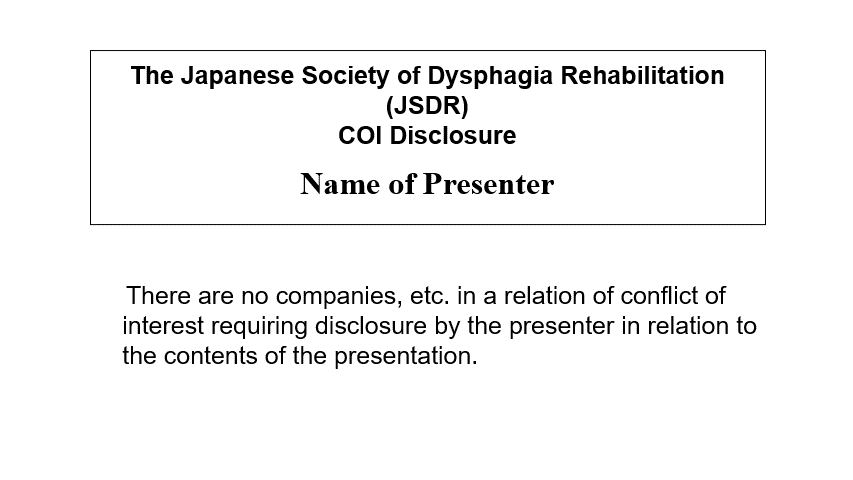
Disclosure of any conflicts of interest (COI) related to companies or for-profit organizations associated with your presentation is required. Regardless of whether you have any COI to disclose, oral presenters must include a COI disclosure slide as the second slide, following the title slide. Poster presenters must indicate their COI disclosure at the bottom right of the poster panel.
- State of Conflict of Interest
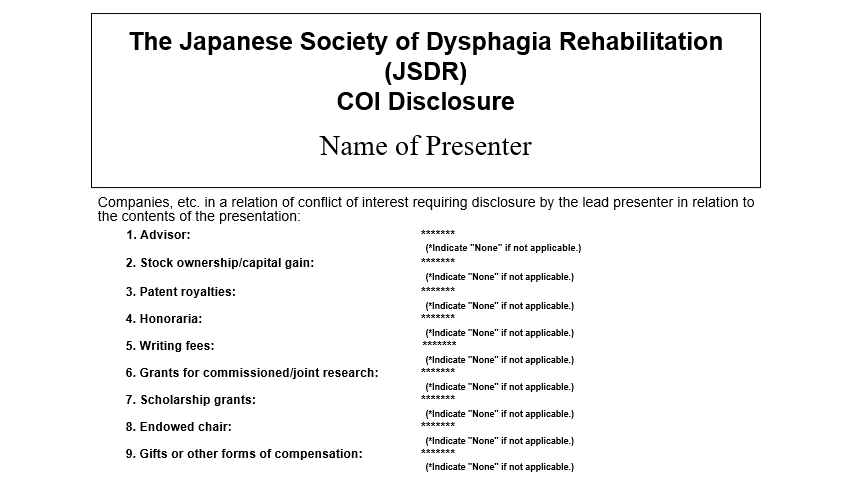
- No Conflict of Interest