Abstracts (Web and App) – “MICEnavi”
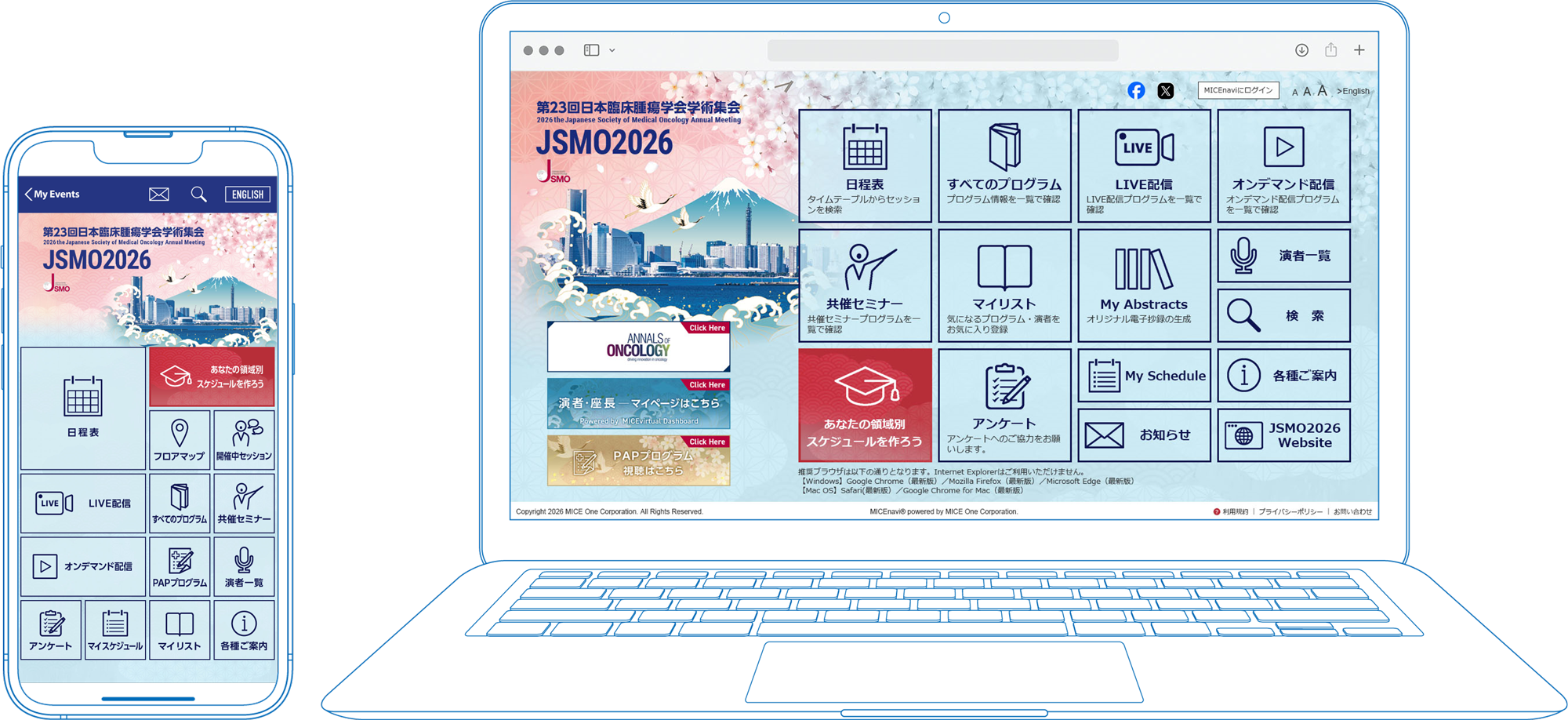
We have released “MICEnavi” App so that the participants can check information concerning the JSMO2026 program.
Some of the congress programs will be delivered live online, and by video-on-demand at “MICEnavi”.
Do I need a password?
You will only need to enter the password to browse abstracts. You can find the password in the following locations:
- Your name badge
- Your registration account
- The registration confirmation email
JSCO meeting for PC

How can I download and use MICEnavi?
1. Download “MICEnavi” App from Apple App Store / Google Play
Go to the Apple App Store / Google Play store on your mobile device. Type “MICEnavi” into the search bar and “MICEnavi” icon will appear. Please download and install the MICEnavi app onto your device.
2. Find the JSMO2026 in MICEnavii
Search for our meeting app by typing JSMO2026 into the search bar. You will see an event come up with our JSMO2026 logo. Tap on JSMO2026 and download.
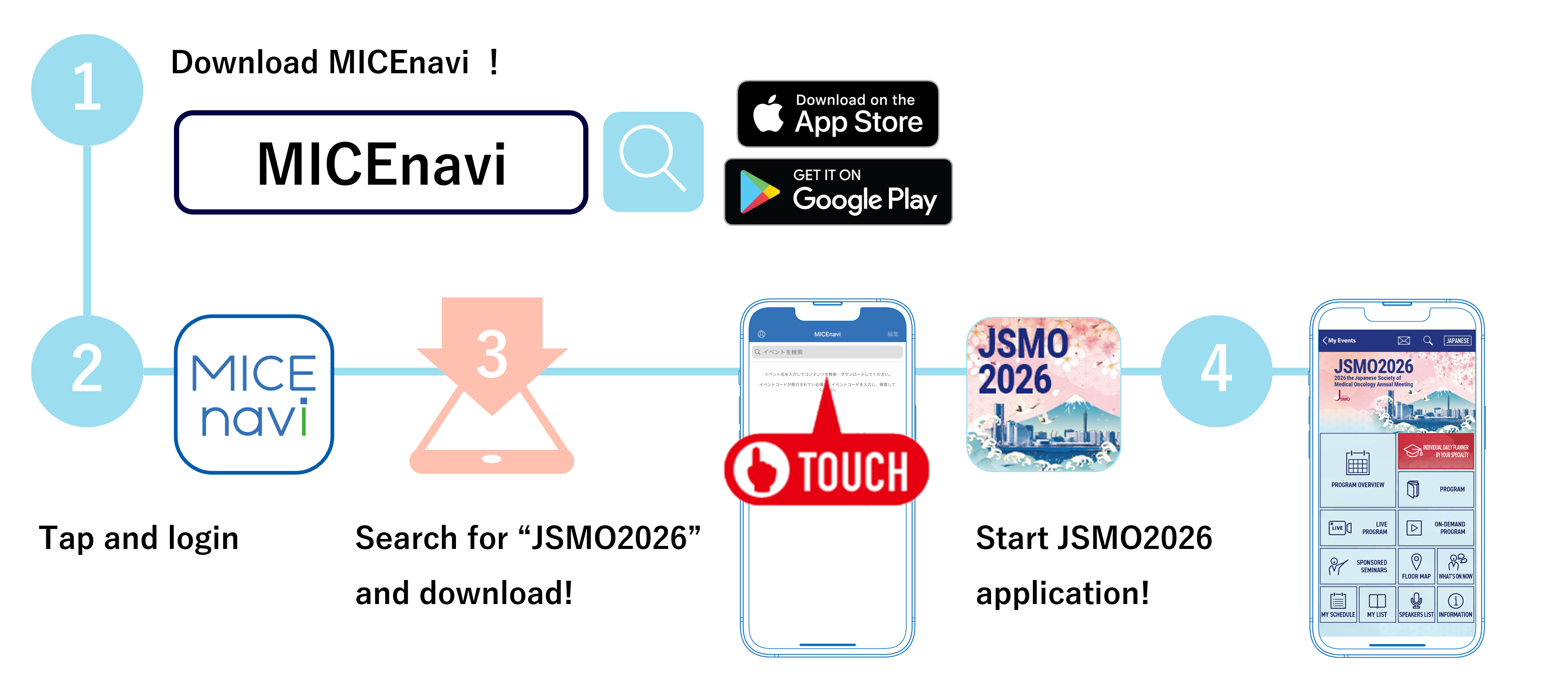
iPhone/iPad


Android

| Compatibility | For iOS version 14.0 and above For Android version 7.0 and above |
|---|
On-demand Streaming
On-Demand streaming: Wednesday, April 15 – Friday, May 29, 2026
Step 1
You will need to register and pay the registration fee to participate in JSMO2026. Please proceed to the JSMO2026 registration site.
Step 2
Web Viewing ID must be entered to view videos. In addition, a password must be entered to view abstracts. Information concerning the Web Viewing ID and the password to view abstract will be issued to you when you registered on the JSMO2026 registration site.
* Web Viewing ID : ID with 11 characters beginning with "im"
Recommended Browsers
| Windows | Google Chrome(Latest version) Mozilla Firefox(Latest version) Microsoft Edge(Latest version) |
|---|---|
| Macintosh | Safari(Latest version) Google Chrome for Mac(Latest version) |
*Please note that JSMO2026 no longer supports Internet Explorer.
Inquiries
Management Secretariat
- c/o Congrès Inc
- E-mail:jsmo2026@congre.co.jp
MICEnavi Technical Support
- MICE One Corporation
- https://www.micenavi.jp/contact
(Open on weekdays from 10:00 to 17:30)