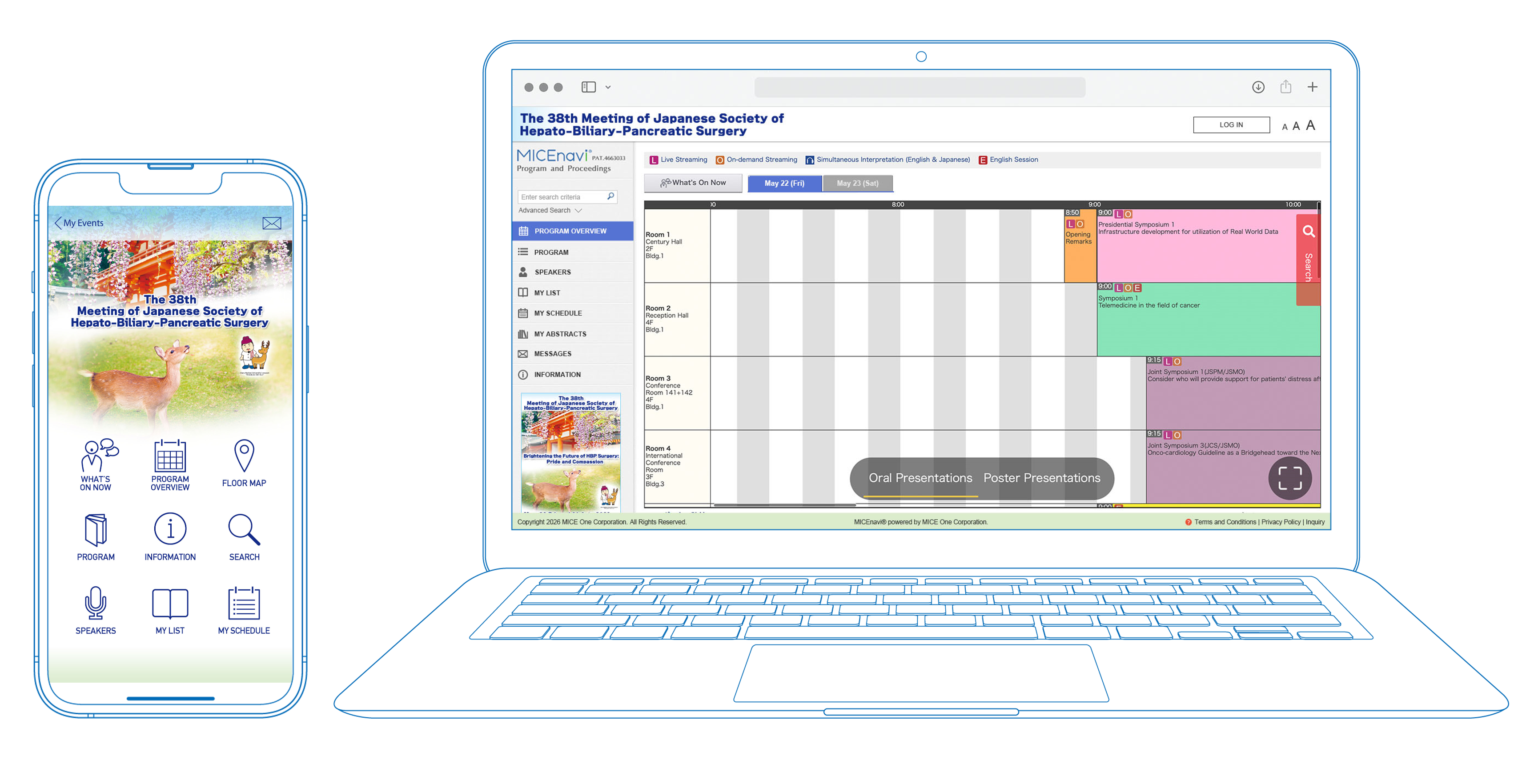
MICEnavi allows you to overview the meeting program and create your own personal schedule.
You can bookmark the sessions you wish to attend.
You will only need to enter the password to browse abstracts. You can find the password in the following locations:
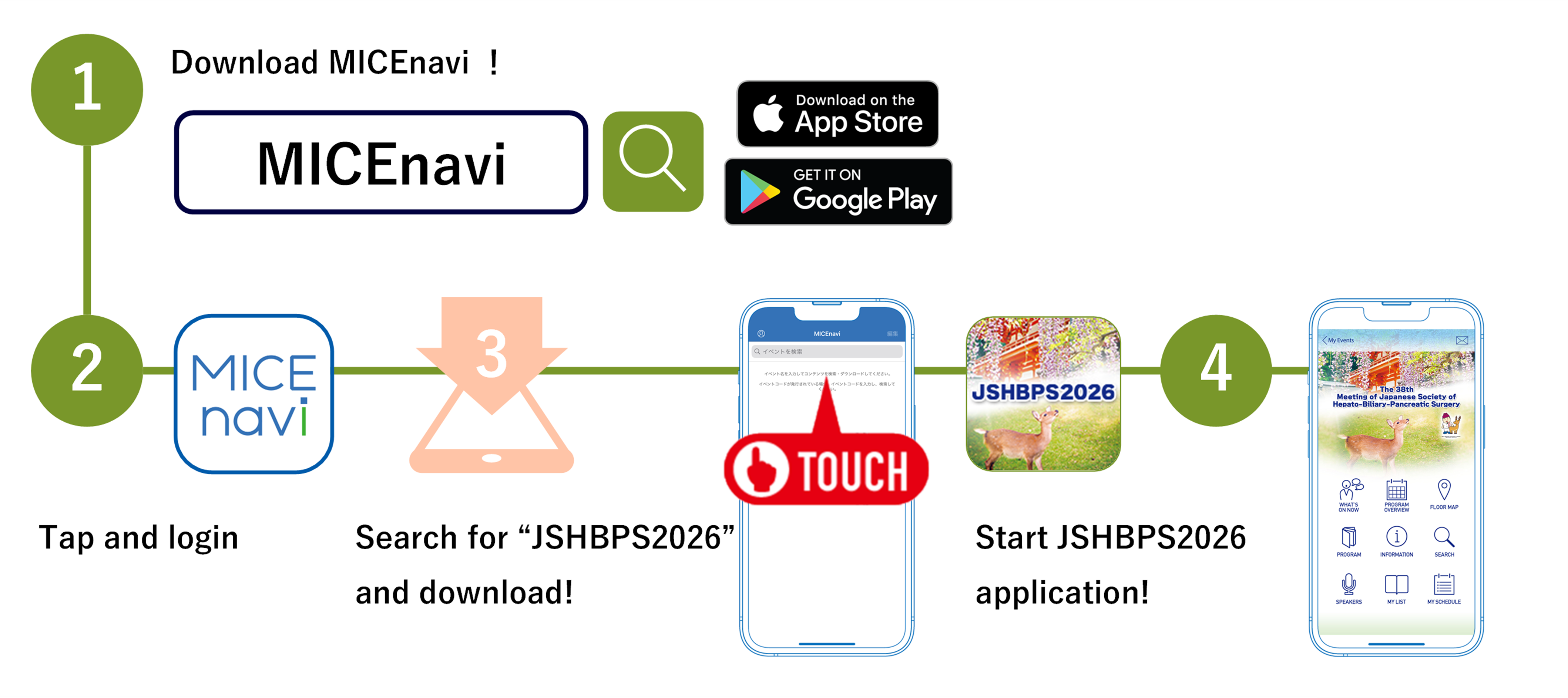
Step 1. Download “MICEnavi” App from Apple App Store / Google Play
Go to the Apple App Store / Google Play Store on your mobile device.
Type “MICEnavi” into the search bar and “MICEnavi” icon will appear.
Please download and install the MICEnavi app onto your device.
Step 2. Find the “JSHBPS2026” in MICEnavi
Search for our congress app by typing “JSHBPS2026” into the search bar.
You will see an event come up with our JSHBPS2026 logo. Tap on JSHBPS2026 and download.
▶iPhone/iPad


▶Android


| Compatibility | For iOS version 14.0 and above For Android version 7.0 and above |
|---|
c/o Congrès Inc.
E-mail: jshbps2026-abs@congre.co.jp
MICE One Corporation
https://www.micenavi.jp/contact
Business hours: 10:00-17:30
(excluding weekends and holidays)

© 2025 The 38th Meeting of
Japanese Society of Hepato-Biliary-Pancreatic Surgery