Home > General Information > Information for Chairpersons and Speakers
Home > General Information > Information for Chairpersons and Speakers
Information for Chairpersons and Speakers
Oral presentation
For Chairpersons
- Chairpersons are requested to be seated in the chairpersons’ seat in the front-right row of each session room at least 15 minutes before the session starts.
- There will be no announcement to start the session. When the time comes, please begin the session at the chairperson's Seat.
- Chairpersons are asked to stay within the time allotted for the session and each presentation.
- During the Q&A period, please ask people with questions and/or comments to stand in line by the microphone in advance.
For Speakers
The Speaker Ready Room will be open on the following days and times during the meeting period.
Please visit there no later than 30 min prior to your presentation in order to preview and submit your presentation.
Opening Hours
-
The following types of media will be accepted.
USB flash memory drive/CD-R (please bring backup media).
- When writing onto a CD-R, use only the hybrid format (ISO 9660), as using special functions such as “Packet Write” may cause problems with data display.
- To prevent the possible spread of computer viruses, always scan your presentation files beforehand with updated anti-virus software.
- After saving your presentation file on the appropriate medium, do a test run on another PC to make sure it works normally.
- Any copies of your presentation data which the Secretariat has received will be deleted after the meeting.
File Management
-
Supported OS and applications are as follows:
OS: Windows 11 (Windows 10 is also acceptable)
Applications: PowerPoint 2007, 2010, 2013, 2016, 2019 or Microsoft 365
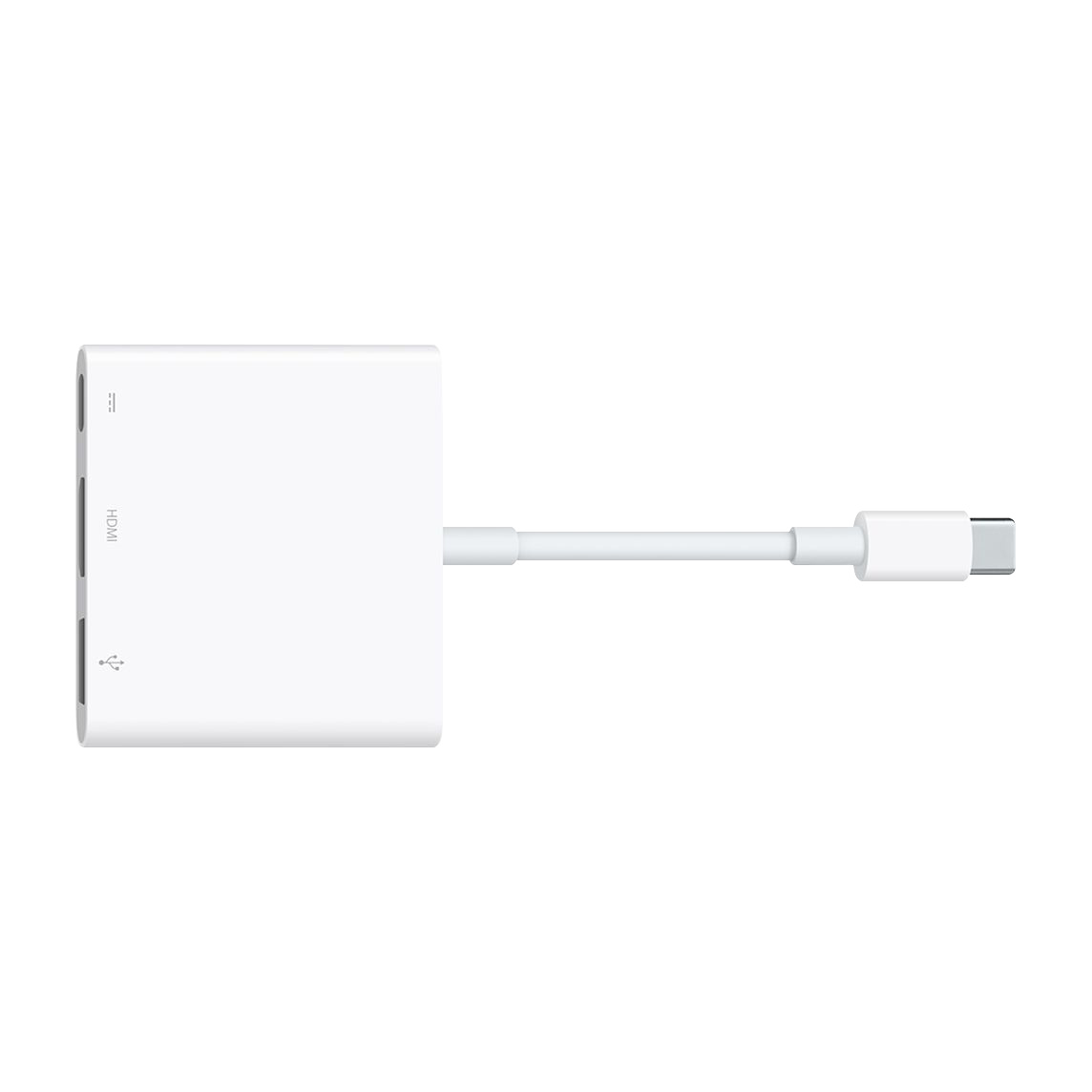
- If your presentation file is made using Macintosh, please bring your own laptop with an HDMI adapter. (recommend genuine products or products with Apple MFI Certification)
-
To prevent display problems with your presentation, use only standard OS fonts such as
Times New Roman,
Arial,
Arial Black,
Arial Narrow,
Century,
Century Gothic,
Courier,
Courier New, or
Georgia.
- The title of your presentation file should be “your presentation number + your name”. (e.g.: Symposium 1_John Smith.pptx).
- There is no limit on the size of your presentation file. However, if the size of your presentation file exceeds 500MB, please bring your own PC.
- You can use audio or video in your presentation. If you use video which is encoded with a specific codec in your presentation, we recommend you bring your own PC. We also recommend any video data to be in MP4 format which can be played on Windows Media Player 11.
- The screen ratio should be 16:9 (wide screen).
- All data files should be in one folder, including any reference files such as video files.
- After saving your presentation file on the appropriate medium, do the test runs on another computer to make sure it works normally.
For Presenters who prefer to use their own laptop
What to do after submitting your presentation file
- You can use PowerPoint Presenter View during your presentation.
- Please be seated in the front-left row of session room at least 15 minutes before the session starts.
- A mouse and keypad will be available on the podium table for your use during your presentation.
- At 1 minute before the end of your presentation, a yellow warning light will appear, and at the end of the presentation time the light will turn red.
Poster presentation
| Poster Area |
6F, 7F, WINC AICHI |
For Speakers
- Please wear a presenter’s ribbon which is on your poster panel during a presentation/discussion hour and stand in front of your poster panel 10 minutes before the scheduled start time. Poster presentations will be in a free discussion format without a chairperson facilitating the discussion.
- Posters will remain on display until the designated removal time.
- Posting and removal times are scheduled as below. Please note that any posters remaining over the removal time will be disposed by the Secretariat.
Guidelines for Poster Presentation
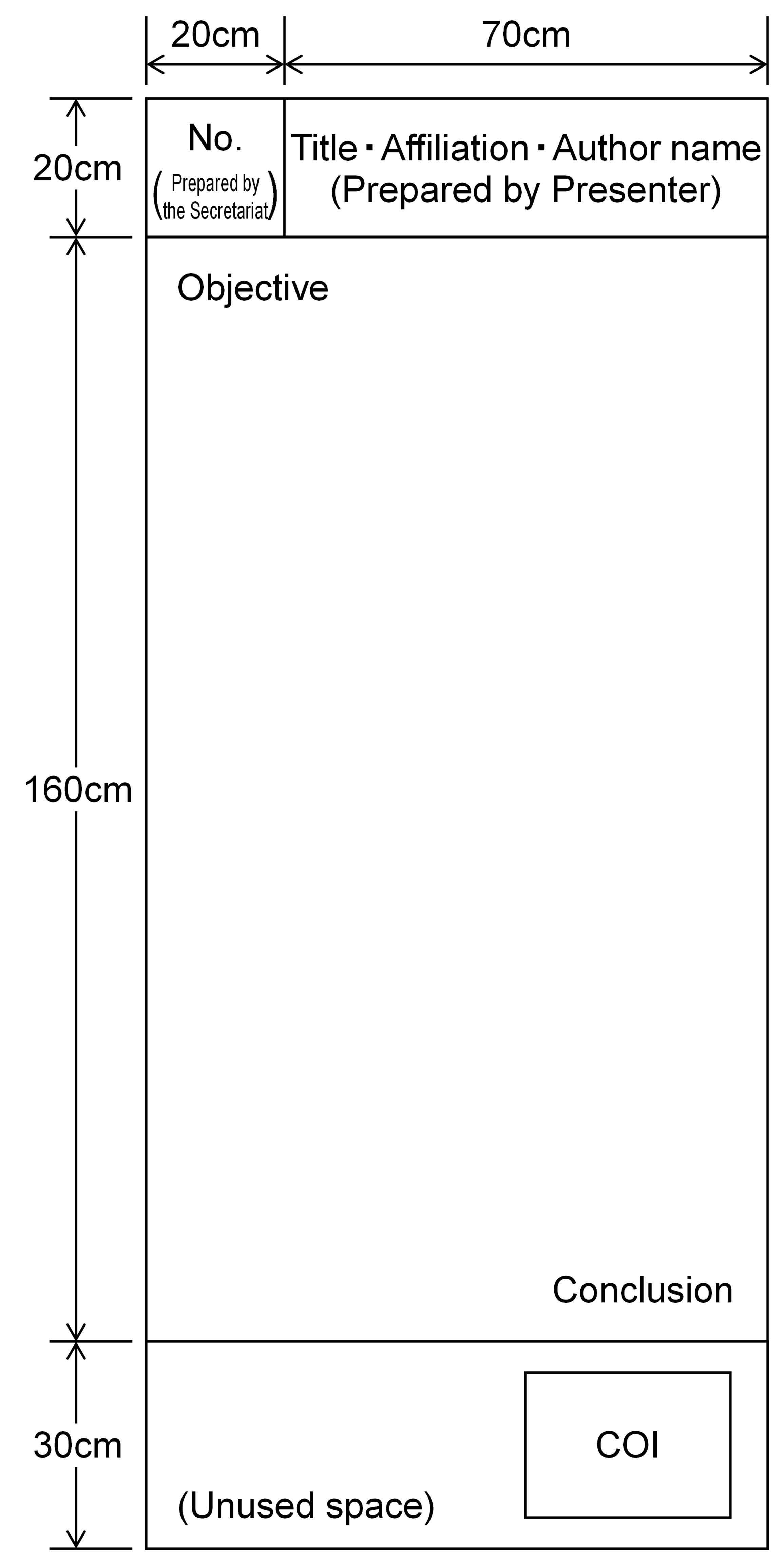
- Please prepare the poster to fit the size, H210cm x W90cm. Your poster must not exceed the usable area dimensions. The presentation number will be preliminarily provided on the board. Please refer to the sample right side. The presenter must prepare your presentation information (Poster title, Affiliation, Author name) by yourself.
- We suggest that text and diagrams be arranged appropriately so that the poster is legible from a distance. Please state clearly the presentation’s objective, methods, results, and conclusion.
- The objective should be positioned at the upper left and the conclusion at the lower right of the poster.
- Your ribbon and pins will be on your poster board. Do not use foam core or any thick or multi-layered materials. Do not use adhesives (glue, tape, spray adhesives, Velcro, etc.) directly on the poster panels.
The Poster Posting Service is available. This is to print and mount your poster at the venue.

The Poster Posting Service is available. This is to print and mount your poster at the venue.
Disclosure of Conflict of Interest (COI)
Presenters are required to disclose any conflicts of interest on the second slide (after the title slide) of oral presentation or at the bottom of the poster.
Please use the sample forms below.