

Official Application “JSOG2026”
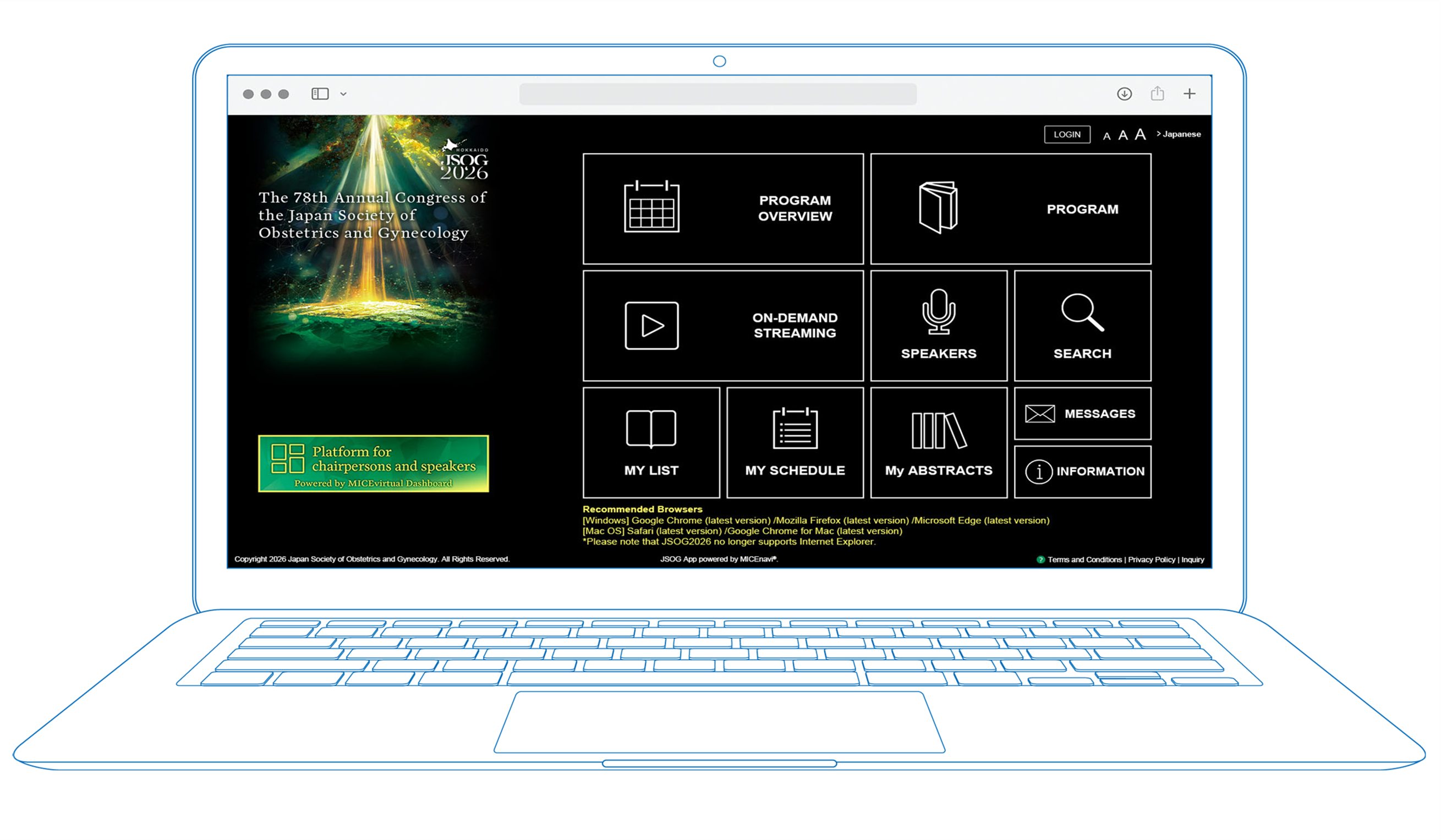
JSOG2026 allows you to overview the meeting program and create your own personal itinerary. You can include the sessions you wish to attend and any abstracts that interest you.
How to join JSOG2026
Step 1
You will need to register and pay the registration fee to participate in JSOG2026. Please proceed to the JSOG2026 registration site.
Step 2
WEB Viewing ID must be entered to view videos. Information concerning the WEB Viewing ID will be issued to you when you registered on the JSOG2026 registration site.

Recommended Browsers
- Microsoft Edge
- The latest version of Mozilla Firefox (Windows or macOS)
- The latest version of Google Chrome (Windows or macOS)
- The latest version of Safari (macOS)
*Please note that JSOG no longer supports Internet Explorer.
Inquiries
Congress Secretariat
c/o Congrès Inc.
E-mail:jsog2026@congre.co.jp
MICEnavi Technical Support
MICE One Corporation
E-mail:micenavi-inq+jsog2026@mice-one.co.jp
(Open on weekdays from 10:00 to 17:30)

© 2025 The 78th Annual Congress of
the Japan Society of Obstetrics and Gynecology